
Scan Amazon barcodes
Identify supported Amazon ASIN and FNSKU labels, along with ordinary retail barcodes.
Amazon scanner app for identifying supported product labels. See available product information and offers, then compare the eBay market.
Start with 10 free scans
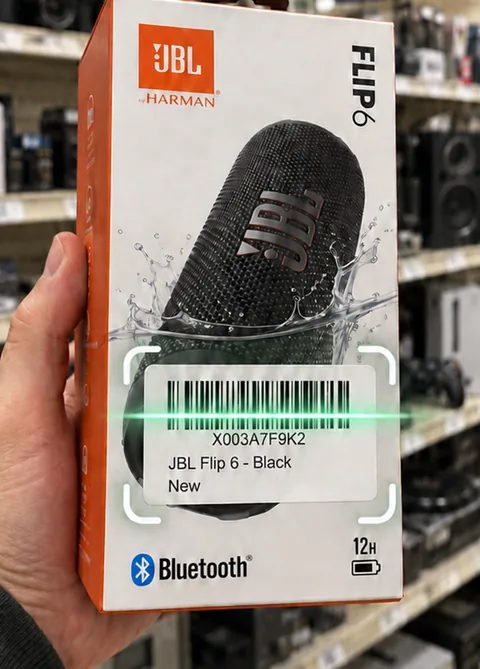
Identify supported Amazon ASIN and FNSKU labels, along with ordinary retail barcodes.
See available Amazon product information and pricing, then open the Amazon product page to check the details.
Explore current and sold eBay listings for the identified product. Amazon offers stay separate from eBay pricing.
Use a supported Amazon label or the manufacturer barcode.
Review the identified item and its available Amazon information.
Compare eBay listings, then save the Find for later.
Scan manufacturer UPC, EAN or ISBN barcodes, or supported Amazon ASIN and FNSKU labels. An FNSKU identifies Amazon inventory; coverage depends on the product and store.
No. Amazon LPN return labels are not public product identifiers. If a label cannot identify the product, try the manufacturer barcode, a product photo, or a name search.
Sell Thru helps identify products and compare listing information. It does not calculate FBA fees, selling eligibility, or guaranteed profit.
Sell Thru builds an eBay search from the identified product’s name, model and variant. Amazon offers stay on their own tab; check the eBay matches for the same item and condition.
Check the model, size and bundle in both tabs. Start a new keyword search with those details if eBay shows accessories or a different version.
Start with 10 free scans. No payment required. Subscription plans are available in the app.