
Start with a scan
Use a manufacturer barcode, a photo, or a few words. Check the match, then explore comparable listings.
Book scanner app for resellers comparing eBay prices. Scan an ISBN barcode or photograph a cover, check the edition and condition, and save your research.
Start with 10 free scans
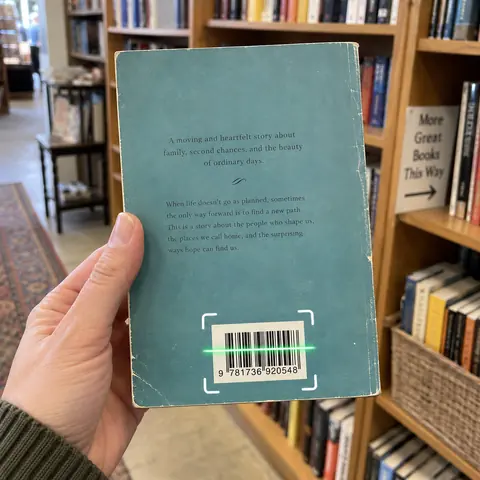
Use a manufacturer barcode, a photo, or a few words. Check the match, then explore comparable listings.
Compare asking prices with displayed sold prices. Check condition, shipping, and the original listing for context.
Save the Find and its research so you can pick up where you left off. Prepare a listing draft when you’re ready.
Check the ISBN, publisher, edition and binding before comparing prices. A paperback, hardcover or signed copy may need a different search. Review condition, markings, missing pages and shipping rather than relying on the title alone.
Point at a barcode, use a photo, or enter an item name.
Switch between Current and Sold and narrow the results with filters.
Keep a photo and the research together for later.
Yes. Photograph the cover or search by title and author, then check the edition in the results. Sell Thru compares available listings; it does not authenticate rare books or calculate Amazon FBA profit.
No. Compare the actual product, condition, shipping, and listing details. An undisclosed accepted Best Offer is not a verified sale price.
Each listing shows its item price and any supplied shipping separately. Averages include supplied shipping costs; missing shipping is not assumed free, and Delivery location helps calculate Current shipping quotes.
Start with 10 free scans. No payment required. Subscription plans are available in the app.